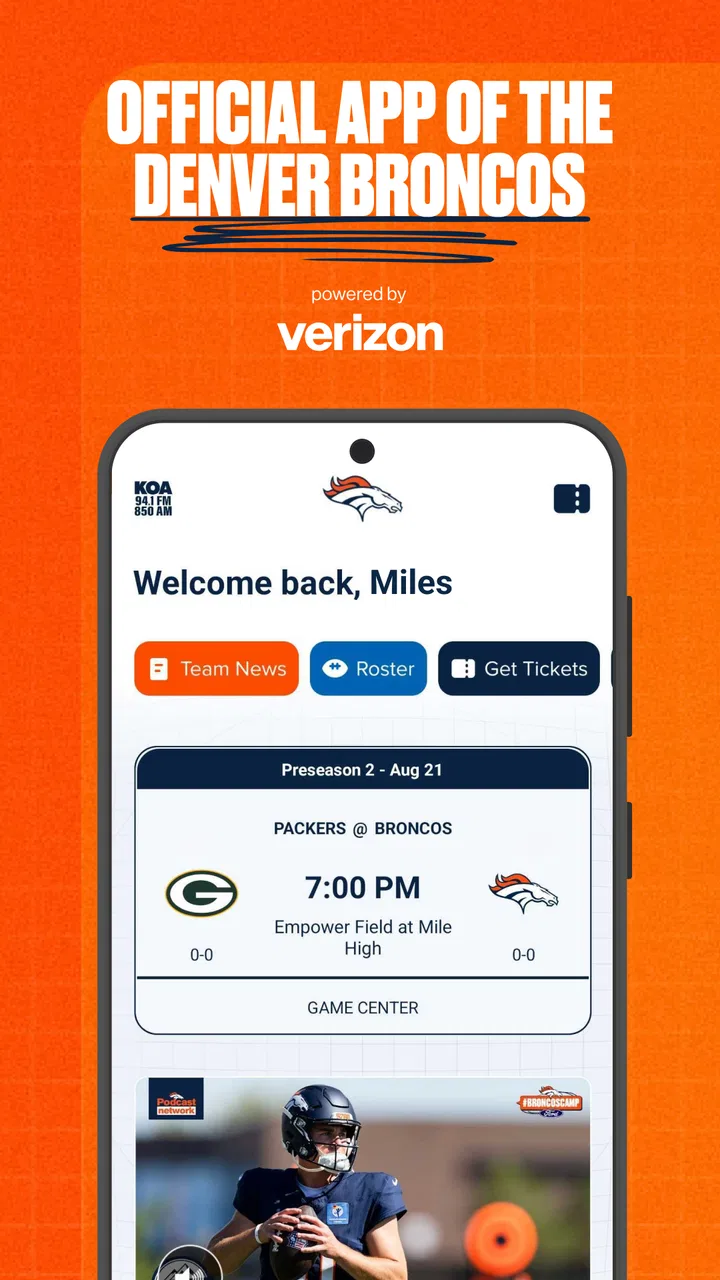
Denver Broncos
- 4.4
- Rating
- 500.00K
- Installs
- Free
- Price

 Analysis by App-foxy
I installed the official Denver Broncos mobile app to see whether it feels useful beyond simply carrying the team name on your phone. My overall impression is that it works best as a focused companion for people who already follow the Broncos and want team information in one place, rather than as a complete replacement for every sports app they may already use. It is free, available for Everyone, and developed by YinzCam, Inc., so its purpose is clear: keep Broncos fans close to the club while they are checking news, following a game, or preparing for a matchday.
That narrow focus is actually the app’s biggest strength. Instead of asking you to filter a huge league-wide feed, it gives you a team-centered starting point. I found that helpful when I wanted a quick update without browsing unrelated sports stories. At the same time, the experience depends on what you expect from a sports app. If you want broad coverage across many teams, deep comparison tools, or one place for every league, a general sports platform will probably remain more practical. If your daily sports routine begins with Denver, however, this app makes a sensible first stop.
How I use the Broncos app from the first check to game day
I start with a quick, purposeful check rather than letting a team app interrupt the day: I look for the Broncos information I need, then close it and save a longer visit for when I have time. That routine makes it easier to notice whether the app is genuinely helping or whether I’m simply checking out of habit. Next, I’d look at the small setup choices that can make those visits smoother.
You May Also Like

 Blood Strike: 2.5 Anniversary
Blood Strike’s Loadouts Turn Every Drop Into a Tactical Gamble
A close look at Blood Strike’s custom loadouts: how fast access to signature weapons reshapes its battle royale rhythm, rewards preparation, and narrows the gap between fights.

 Pandora - Music & Podcasts
Pandora’s Music Is Easy to Start, but Harder to Recover
Pandora’s strength is its low-effort path from a seed to a station. Its weak spot is how much confidence it asks you to place in connection, setup, and quiet recovery.

 8 Ball Pool
 Is Built on Rivalries, Rematches, and Routine
A close look at the rivalries, rematches, shared routines, and unanswered safety questions that turn a quick pool match into a persistent mobile community.

 Samsung Music
’s Quiet Strength Is Playing What You Already Own
Its reach comes less from spectacle than from dependable access to a personal library. That simplicity is both the app’s strongest retention engine and its ceiling.

 AccuWeather: Weather Radar
AccuWeather Review: A Quick, Clear Forecast for Everyday Decisions
For everyday plans, the best forecast is the one you can understand quickly. AccuWeather makes rain timing, radar, and local conditions easy to act on, with a few trade-offs.

 Hill Climb Racing
Why Hill Climb Racing Still Turns Crashes Into One More Run
A tiny car, a bumpy hill and one more upgrade: Hill Climb Racing keeps resurfacing because its simple chaos makes every near-miss feel personal.
More From Our News Desk



A simple baseline workflow for regular fans
My normal routine starts with a short check rather than leaving the app open all day. I open it when I want to see what is new around the Broncos, then move through the available team-focused areas instead of treating it like a social network. That habit keeps the app useful without turning every notification or update into a distraction. The official status matters here: information presented through a team app feels more relevant to a Broncos supporter than a general sports feed where team news may be mixed with dozens of unrelated stories.
On an ordinary weekday, I would use it after work or before a game to catch up on the latest team material. On game day, I would open it before kickoff, check the current information available, and return during natural breaks rather than constantly refreshing. This is a small but important workflow choice. A team app is most valuable when it supports a specific moment—checking the latest update, preparing for the game, or confirming what is happening—rather than becoming another screen competing for attention.
The app’s long presence also gives it a familiar role for Broncos followers. It was released on December 16, 2011, and the current version is 3.7.0. I would not judge it by age alone, because a mature official app can be easier to understand than a brand-new product that keeps changing its layout. Still, users should approach it as a practical team utility, not assume that its purpose is to provide every modern sports feature imaginable.
What makes the official focus useful
The clearest advantage is context. When I open a dedicated Broncos app, I already know what the content is about. I do not need to search through a league-wide timeline or remember a team filter. That saves a few seconds each time, but the bigger benefit is mental: the app supports a particular fan habit instead of trying to cover every possible sports interest.
This is especially convenient for fans who follow Denver closely but do not want a large sports application taking over their home screen. The app can sit beside a broader score service, with each tool doing a different job. I would use the Broncos app for team-centered material and a general sports app for checking several games at once. That combination is more effective than forcing one application to handle both jobs.
Another useful distinction is trust and relevance. An official team app is naturally positioned around the Broncos rather than around a neutral scoreboard experience. That does not automatically make every screen better, but it does make the product feel more intentional for supporters who want a direct connection to one club. The average rating of 4.4 from around 12 thousand ratings suggests that many users find that focused approach worthwhile, though a rating alone cannot tell you whether it matches your particular expectations.
Settings I would check before relying on it
My first recommendation is to review notification choices before settling into a routine. Team apps can be helpful when they alert you to something you genuinely want to know, but less helpful when every update interrupts your day. I would keep only the alerts that support your actual habit: for example, important team updates or game-related reminders if those are the moments you care about. If you prefer to open the app manually, reduce notifications and use it as an on-demand reference.
This is not just a comfort adjustment. Notification discipline changes how the app fits into your life. A fan who follows every development may welcome frequent prompts, while someone who watches games casually may prefer a quiet app that is checked once before an event. I would begin conservatively, use the app for a few days, and then enable more alerts only if I notice that I am missing something important.
I would also check the device and operating-system requirements before downloading it. The listed minimum operating system is 10, so compatibility should be considered if you are using an older phone or tablet. On a supported device, I would make sure the app has enough room to display team information comfortably and that the phone is not already overloaded with background sports notifications. These small preparations make a bigger difference than repeatedly reinstalling an app because the home screen feels crowded.
Faster patterns for game-day use
Experienced users can make the app feel quicker by building a repeatable sequence. My preferred pattern is simple: open it before the game, scan the most relevant team information, close it, and return only at planned moments. That avoids the common mistake of turning a useful reference into a constant-refresh habit. If I am watching the game elsewhere, the app becomes a companion rather than the main event.
A second pattern is to separate preparation from live checking. Before the game, I have more time to read and orient myself. During the game, I want short visits and minimal searching. Treating those as two different tasks helps me avoid trying to read everything when my attention should be on the action. It also makes the app more useful for fans who are watching with friends, traveling, or checking in from work during a break.
For a realistic everyday scenario, imagine a Broncos fan commuting home on a game day. Instead of opening a general sports feed and scrolling through every league result, the fan can make one focused check of the team app before leaving work, review the relevant information, and then use it again shortly before the game. That workflow is faster because it removes unrelated content. It is not a dramatic feature, but it is the kind of small efficiency that makes a dedicated app earn a place on a phone.
I also recommend using the app as a confirmation tool rather than as the only source for every detail. If the question is specifically about the Broncos, start here. If the question concerns several games, fantasy decisions, league-wide standings, or a wider sports schedule, switch to a broader service. Knowing when to leave the app is part of using it well.
Where the experience has limits
The focused design can feel restrictive if your interests are broader than one team. I would not choose this app as my only sports application if I regularly follow multiple clubs or need a single dashboard for different competitions. Its value comes from specialization, and specialization always means giving up some breadth.
There is also a difference between official access and complete coverage. A team-branded app may be the right place for Broncos-centered updates, but it does not necessarily replace a dedicated score tracker, a league statistics tool, or a service built around live multi-game monitoring. I would avoid downloading it with the expectation that it will eliminate every other sports app. In my experience, it works better as the team layer in a small, deliberate setup.
The app’s free price is a clear advantage, especially for a fan who wants an official starting point without adding a subscription to a growing list of monthly expenses. Free does not mean every user will love the interface or find every screen necessary, though. The practical question is whether you will open it often enough to justify the space on your device. If your Broncos interest is occasional, a browser search or a general sports app may be enough. If you check team news regularly, the dedicated format becomes easier to justify.
The Everyone content rating also makes it broadly approachable for households with different ages. I still think parents should use their own judgment about screen time and notifications, but the rating removes one obvious barrier for general family use. It is a team information app, not a product that requires a narrow adult audience.
Three habits that improve the experience
First, I would keep the app’s role clearly defined. Decide whether it is your pregame briefing, your team-news shortcut, or your occasional Broncos check-in. A clear role prevents duplication with a general sports service and makes it easier to decide which notifications deserve to remain active.
Second, I would create a “check, act, close” habit. Open the app with one question in mind, find the relevant information, and leave when that question is answered. This is more efficient than opening it without a purpose and scrolling until something catches your eye. It also reduces the chance that a short update turns into a long, unfocused session.
Third, I would test the app in both calm and busy conditions. Use it on a normal day, then try it before or during a game when your attention is divided. That reveals whether the navigation suits you when you have only a moment. An app that feels fine while browsing casually may feel slower when you are trying to check something quickly, so this practical test is more revealing than a first installation alone.
Who should use it, and who should skip it?
I would recommend it to Broncos supporters who want a dedicated team destination, fans who prefer official team-focused material, and casual followers who do not need a complicated sports dashboard. It is also a good fit for someone who wants a free app with a straightforward purpose and enough familiarity to become part of a regular game-day routine.
I would be more cautious if you mainly care about league-wide results, follow several teams equally, or need advanced statistical analysis. In those cases, a broader sports application is likely to provide a better central workspace. I would also skip it if you rarely follow Denver and already have a general app that answers your occasional questions. Installing a dedicated team app only makes sense when the team is important enough to deserve its own shortcut.
That distinction is not a criticism of the product. It is a reminder that the right sports app depends on the shape of your attention. The Broncos app is not trying to be everything for everyone, and I think it is more useful when judged by how well it serves a Broncos-first routine.
My verdict after building a repeatable routine
After using it as a focused team companion, I see the Denver Broncos app as a sensible free download for committed and moderately engaged fans. Its strongest quality is not complexity; it is focus. The app gives Broncos supporters a direct place to begin, and the official connection makes that starting point feel more purposeful than a generic sports feed.
Its limitations become clear when you ask it to do a broader job. I would pair it with another service for multi-team scores, wide league coverage, or deeper statistical needs. I would also take a few minutes to adjust notifications and decide when the app belongs in my routine. Those choices matter more than simply installing it and hoping the default setup fits.
YinzCam, Inc. has produced an app with a clear identity, and its audience is easy to understand. With over 500 thousand installs, it has reached a substantial community of users, while its current version keeps it relevant for people using supported devices. I would not call it an essential download for every sports fan, but for someone whose first question is “What is happening with Denver?”, the dedicated team focus is the reason to choose it.
My final recommendation is straightforward: install it if the Broncos are one of the teams you check repeatedly, then shape the notifications around your real habits. Use it before games, return when you need a team-specific update, and let a broader sports app handle everything outside Denver. That division of labor gives Denver Broncos a clear purpose instead of asking it to replace tools it was never meant to replace.
For me, that makes it a worthwhile companion rather than a universal sports solution. The best experience comes from experienced use: a quiet setup, a predictable game-day sequence, and the discipline to switch to another app when the question is no longer Broncos-specific. If that sounds like the way you follow sports, this free app is easy to recommend.
FAQs for Denver Broncos
01What is the Denver Broncos app used for?
The Denver Broncos app is designed for fans who want quick access to official team information in one place. It typically includes breaking news, game schedules, scores, rosters, statistics, videos, articles, ticket information, and team updates. Depending on the season and your location, it may also provide live game features, notifications, stadium information, and links to official merchandise or team services.
02Can I watch Denver Broncos games through the app?
The app may provide game updates, live statistics, play-by-play information, highlights, interviews, and other digital coverage, but it does not necessarily offer live video streaming for every Broncos game. Streaming availability depends on broadcasting rights, your location, the NFL season, and any required television or streaming subscription. Check the app’s current features and regional restrictions before downloading it specifically for live viewing.
03Does the Denver Broncos app require an account or subscription?
Many basic features, such as reading news, checking schedules, viewing scores, and browsing team information, may be available without creating an account. However, an account can be required for personalized notifications, ticket management, purchases, exclusive content, or connected fan services. Some features may also depend on third-party subscriptions, so review the sign-in and payment requirements before using premium functions.
04Is the Denver Broncos app free to download?
The official Denver Broncos app is generally available as a free download on supported Android and iOS devices. Nevertheless, free installation does not mean every service inside the app is free. Tickets, merchandise, paid streaming packages, event access, or other external services may involve additional costs. Before making a purchase, verify the provider, pricing, refund policy, and any applicable regional charges.
05What permissions and device requirements should I consider?
Before installing the Denver Broncos app, check whether your phone meets the current Android or iOS version requirements listed in the relevant app store. The application may request permissions for notifications, location-based content, Bluetooth or stadium-related features, and account access. Notifications are useful for scores and breaking news, but you can disable optional permissions in your device settings if you prefer greater privacy or fewer alerts.
Pros
- Official team news
- scores
- and updates in one place.
- Useful for following schedules
- rosters
- and game-day information.
- Includes Broncos-focused content for dedicated supporters.
- Helps fans stay connected during the NFL season.
- Simple way to keep up with team developments on mobile.
Cons
- Content may feel limited outside the football season.
- Some features may require an account or location access.
- Notifications can become frequent during games and breaking news.
- Video and media availability may vary by region.
- Not ideal for users who follow multiple NFL teams.

Denver Broncos
Gallery